How to Bypass FRP on Oppo A16 (Android 13) – 3 Verified Methods (2026)
Quick Summary (Key Takeaways)
- The Problem: Factory Reset Protection (FRP) locks the device after an unauthorized reset. Standard codes like
*#813#no longer work on Android 13.- The Free Solution: The “Clone Phone” method (Method 1) works without a PC but requires a specific “Double Wipe” trick to fix connection errors.
- The Technical Solution: SP Flash Tool (Method 2) formats the FRP partition directly. We provide the specific Scatter File and Hex addresses below.
- The Easy Solution: Professional tools (Method 3) are the “last resort” if manual settings are greyed out or drivers fail to load.
For many users, Factory Reset Protection (FRP) transforms a helpful security feature into a sudden obstacle. You likely performed a factory reset to regain access to a device—perhaps after a child locked it or you forgot an old pattern—only to be stranded at the Google verification screen.
You are not alone in facing the Oppo A16 FRP bypass reality: your phone is effectively a paperweight without the original Google account credentials. You may have already tried the legendary emergency codes, only to find they had been patched out. You need an Oppo A16 Google account unlock 2026 solution immediately.
This guide documents the exact steps used to resolve this issue. We cover three distinct methods—prioritizing free, manual solutions first—ensuring you can reclaim access to your device regardless of your technical expertise or the ColorOS 13 security patch level.
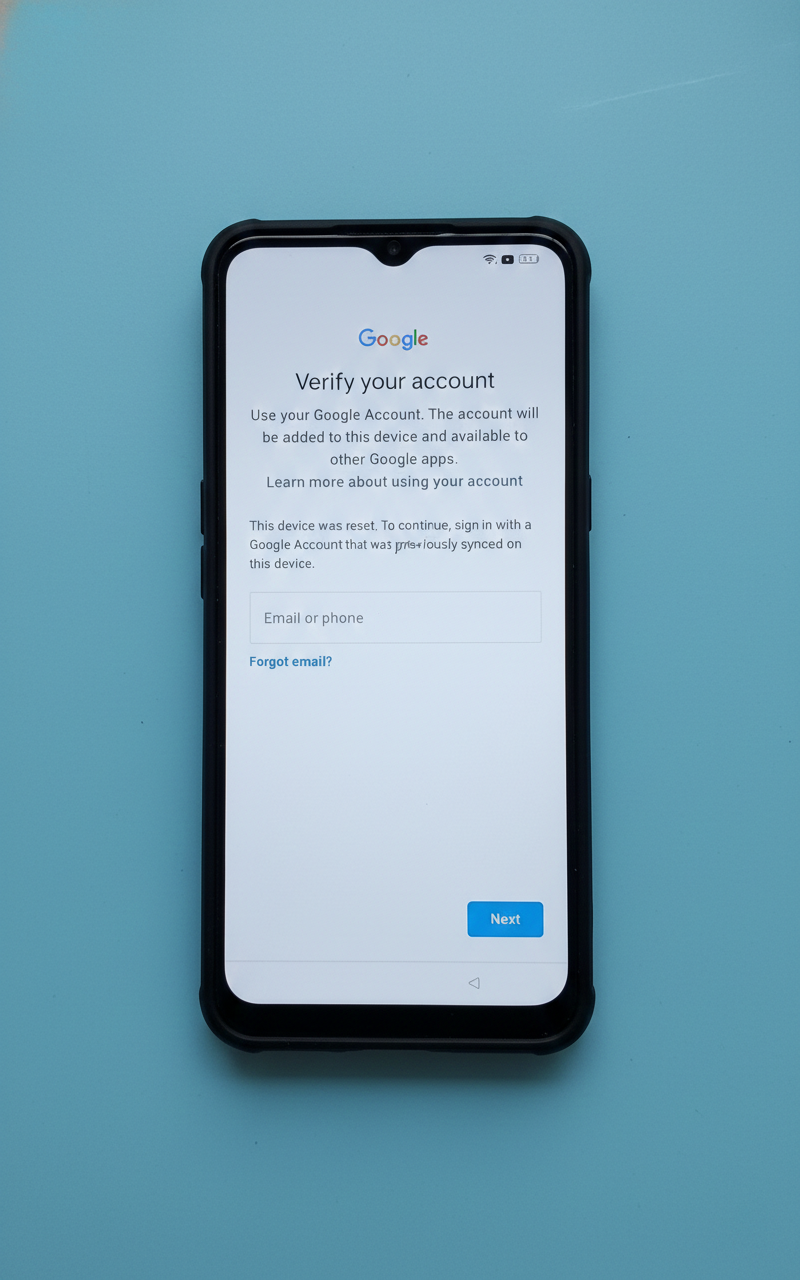
Oppo A16 FRP Bypass
Quick Decision: Choosing the Right Bypass Method
Selecting the correct bypass method depends entirely on your balance of technical skill, available time, and access to a computer. We have reordered these methods to prioritize the Free/No PC solution first, as this is what most users require.
However, be aware that manual methods often encounter security patches where the “Reset System Settings” option is greyed out. If you cannot afford to spend an hour troubleshooting, you might prefer the automated software in Method 3. Conversely, technical users might prefer the precision of flashing tools (Method 2).
The following comparison breaks down the three primary approaches for the Oppo A16 FRP bypass:
| Method | Time to Unlock | Success Rate (Android 13) | PC Requirement | Difficulty |
| Method 1: Manual (Clone Phone) | 45-60 Minutes | Moderate (Variable by Patch) | No | High |
| Method 2: SP Flash Tool | 30 Minutes | High (Risk of Bricking) | Yes (Windows) | Very High |
| Method 3: DroidKit (Software) | 10-15 Minutes | High (Auto-Detects Patch) | Yes (Win/Mac) | Low |
Method 1: Oppo A16 FRP Bypass Without PC (The Double-Wipe Trick)
The manual Oppo A16 CPH2269 FRP bypass without pc relies on utilizing the accessibility menu and the “Clone Phone” app to inject a new Google account into the system. This method is effective but highly sensitive to the device’s cache state on ColorOS 13.
Expert Insight: A critical failure point in 2026 is the “Device Admin” block. In this scenario, the Clone Phone app refuses to connect because the OS detects a “half-synced” account from previous failed attempts. To fix this, you must perform a “Wipe Data” from Recovery Mode twice consecutively before starting. This clears the hidden cache and significantly increases the success rate.
Step 1: The “Clean Slate” Double Wipe
Do not skip this step. Even if you just reset the phone, the cache may still hold temporary files that block the Clone Phone connection.
- Turn off your Oppo A16.
- Boot into Recovery Mode by holding Volume Down + Power.
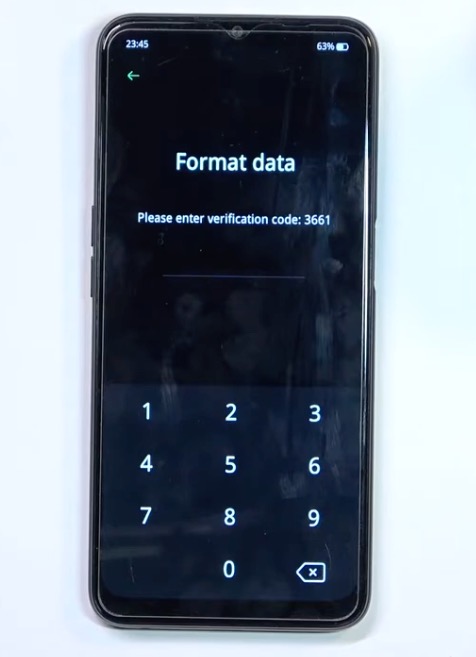
- Select English -> “Format Data”. Enter the verification code displayed on the screen.
- Let the device wipe and reboot.
- Immediately turn it off and repeat this process a second time.
Oppo A16 Recovery Mode screen showing Format Data option
Step 2: Enable Talkback & Access Chrome
- Connect to a stable Wi-Fi network.
- On the “Hello” screen, enable Talkback by holding Volume Up + Volume Down simultaneously for 3 seconds. Tap “Turn On” and hold the buttons again.
- Draw an inverted “L” (swipe right, then up) to open voice commands.
- Double-tap “Use Voice Commands,” then say “Google Assistant.”
- When the assistant pops up, say “Open YouTube.”
CRITICAL TROUBLESHOOTING: The “Update YouTube” Loop
If you say “Open YouTube” and receive a screen saying “Update YouTube” which you cannot bypass:
- Do not panic. While Talkback is still on, press Volume Up + Down to suspend it (so you can tap normally).
- Tap the Profile Icon (top right) -> Settings -> About -> Google Privacy Policy.
- This will bypass the YouTube app entirely and open the Chrome Browser directly. You are now back on track.
Step 3: Access Device Settings
- In the Chrome browser address bar, search for “Oppo Settings Shortcut” or type
vrom.net/bypass. - Select “Open Settings” from the site menu.
- Scroll down to Home Screen & Lock Screen -> Home Screen Layout (4×6).
- Note: This does not unlock the phone yet; it only grants temporary access to the launcher.
Step 4: Clone Phone Injection
- Open the “Clone Phone” app on the locked Oppo A16.
- Select “This is the New Device” -> “Other Android”. A QR code will appear.
- On a separate Android phone (Donor Phone):
- Download “Oppo Clone Phone” from the Play Store.
- Open it and select “This is the Old Device.”
- Crucial Tip: If the phones fail to connect, temporarily Forget/Disconnect your home Wi-Fi on the Donor Phone. This forces the Donor Phone to stay connected to the Oppo A16’s internal hotspot rather than switching back to the internet.
- Scan the QR code on the locked Oppo A16.
- Deselect all data and choose just one small file (like a single contact or a small image).
- Start the migration. Once the transfer says “Completed,” the locked device will prompt you with “Welcome.”
- Follow the on-screen prompts. The device is now unlocked.
Method 2: Advanced SP Flash Tool Guide (The Technical Fix)
If the manual method fails or you prefer a cleaner wipe, the SP Flash Tool method is the definitive Oppo A16 Google verification skip tool. This technique involves directly formatting the partition where the FRP lock status is stored.
Warning: This method requires precision. Using the wrong file or address can “brick” your device (make it unbootable). Proceed only if you are comfortable installing drivers and using Windows software.
Required Downloads
You must use the specific files for the Oppo A16 (CPH2269 / MediaTek Helio G35).
- SP Flash Tool: Download Latest Version Here
- Scatter File & Preloader (CPH2269): Download MT6765_Android_scatter.txt
- MCT MediaTek Auth Bypass: Download Auth Bypass Tool
- MediaTek USB VCOM Drivers: Download Drivers
Step 1: Prep the Flash Tool
- Install the MediaTek USB VCOM drivers on your PC.
- Extract the SP Flash Tool folder and run
flash_tool.exe. - In the “Scatter-loading File” field, browse and select the
MT6765_Android_scatter.txtyou downloaded. - Uncheck all boxes in the partition list (Preloader, Boot, Recovery, etc.). We are only formatting, not flashing new firmware.
Step 2: Input Verified Hex Addresses
- Click the Format tab at the top.
- Select Manual Format Flash.
- Input the following addresses. These are the standard offset values for the FRP partition on the Oppo A16 (CPH2269):
- Begin Address:
0x2d88000 - Format Length:
0x100000
- Begin Address:
Verification: To be absolutely safe, open your downloaded scatter text file in Notepad. Press Ctrl+F and search for “frp”. Verify that linear_start_addr matches the Begin Address above. If your scatter file shows a different number, use the number in your file.
[Image Placeholder]: A screenshot of the SP Flash Tool ‘Format’ tab, showing the exact Hex addresses (0x2d88000) input for the FRP partition. Alt-text: SP Flash Tool manual format settings for Oppo A16 FRP partition.
Step 3: Bypass Auth & Execute
- Launch the MCT MediaTek Auth Bypass tool.
- Click “Bypass.”
- Turn off your Oppo A16 completely.
- Hold Volume Up + Volume Down and connect the USB cable to the PC.
- The MCT tool should say “Protection Disabled.”
- Immediately return to SP Flash Tool and click Start.
- If successful, you will see a green checkmark within seconds. Disconnect and reboot.
Method 3: DroidKit Software (The Automated Alternative)
If Method 1 is too complex and Method 2 feels too risky, professional software offers a middle ground. DroidKit is a paid software suite designed to automate the FRP removal process. For users encountering the Oppo A16 reset not working frp fix—where manual settings are inaccessible and drivers won’t install—this tool saves time by handling the technical heavy lifting.
This is the “Emergency” option. It costs money, but it buys you speed and simplicity if you are stuck.
Steps to Bypass FRP with DroidKit:
- Launch DroidKit on your computer and select the “FRP Bypass” mode from the main dashboard.
- Connect your Oppo A16 via USB cable. Once recognized, select the “Oppo/Realme” brand option.
- The software will prepare a configuration file. Follow the on-screen instructions to put the device into Recovery Mode.
- DroidKit will then begin the removal process. Keep the device connected until you see the “Bypass Completed” screen.
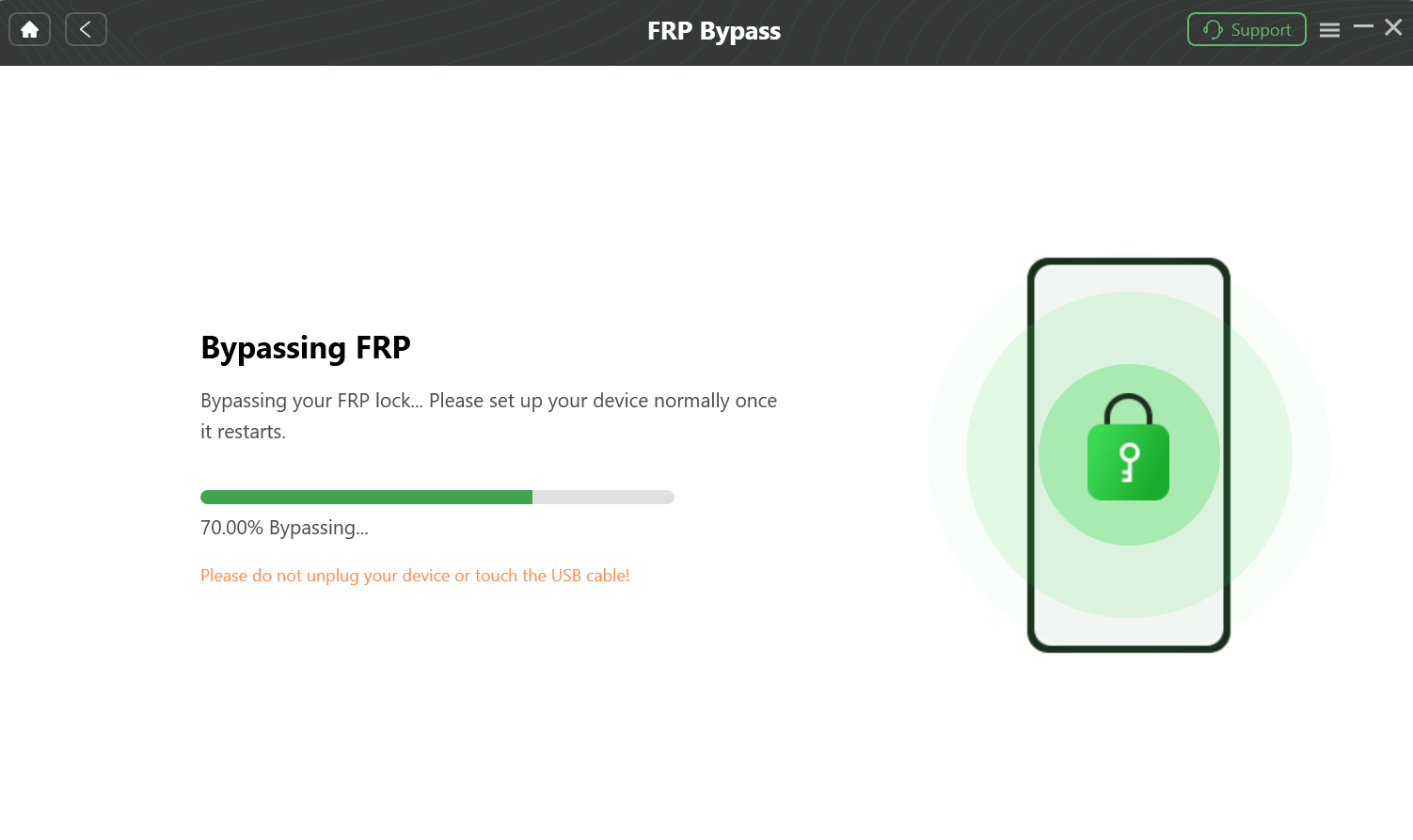
The DroidKit FRP bypass tool is in progress, showing that the Google lock is being removed from the connected Android device.
Why *#813# and Reset Settings No Longer Work
The previously reliable *oppo a16 frp bypass code #813# functionality was permanently disabled via security patches introduced in the transition from ColorOS 11 to ColorOS 12 and 13. If you enter this code into the emergency dialer and nothing happens, your device is running a secure bootloader that blocks unauthorized Engineer Mode access.
Many users following older guides will also encounter the “Reset System Settings” option being greyed out or unresponsive within the Settings menu. This is not a bug, but a deliberate security feature called “Setup Wizard Enforcement.”
Google and Oppo have patched the vulnerability that allowed users to reset settings to clear the FRP flag without authentication. This restriction is tied to the specific Build Number of your firmware. If you are on a 2025/2026 security patch, looking for “magic codes” is futile; you must use the Clone Phone injection method (Method 1) or external tools (Method 2 or 3).
Frequently Asked Questions About Oppo A16 Unlock
Successfully bypassing the Google lock on an Oppo A16 requires matching the method to your specific Android security patch level. Below are concise answers to the most common questions regarding this process.
Can I really bypass the lock without a PC?
Yes, using Method 1. However, you need a second Android phone to act as the “Key” via the Clone Phone app. If you do not have a second phone or a PC, you cannot bypass the lock on current security patches.
Where do I find the Scatter File for CPH2269?
We have provided the link in Method 2. You must use a scatter file specifically for the MT6765 chipset. Using a scatter file for a different processor (like a Qualcomm variant) will result in a hard brick.
What if the “Clone Phone” app keeps disconnecting?
This is a Wi-Fi priority issue. Your “Donor” phone is likely detecting that the Oppo A16’s hotspot has no internet and is automatically switching back to your home Wi-Fi. Go to your Wi-Fi settings on the Donor phone and “Forget” your home network temporarily to force the connection to the Oppo A16.
Why doesn’t the *#813# bypass code work on my Oppo A16 anymore?
The code was patched in ColorOS 12 and 13. Oppo and Google closed this security loophole in recent updates. If your device runs a 2024 or later security patch, the emergency dialer codes are disabled by the bootloader.
Conclusion
Regaining access to your Oppo A16 is possible, but it requires navigating around the sophisticated security of Android 13.
If you have patience and a second phone, Method 1 (Clone Phone) is your best free route, provided you follow the “Double Wipe” and “YouTube Update” troubleshooting steps carefully. For those comfortable with technical software, Method 2 (SP Flash Tool) offers the cleanest permanent fix. Finally, if you are pressed for time or uncomfortable with complex menus, Method 3 (DroidKit) provides a safety net to get you back up and running quickly.
Choose the method that matches your resources, and you will have your device back in hand shortly.
More Related Articles